The 9 Best AI Tools for Excel Analysis in 2026 — Compared, With Prices
The best AI tools for Excel in 2026, after testing twelve: DataHub Pro (upload the workbook, get dashboards, forecasts and a written report with every figure computed from the rows; free tier, then $19.99 per seat), Microsoft Copilot in Excel (formula help inside the grid, needs Microsoft 365), ChatGPT for one-off questions on pasted data, and add-ins such as Ajelix for formula generation.
Try it on your own file → · Updated 13 September 2026
Twelve tools, side by side — what each one is actually good at, what it costs, and where it falls short. Written by someone who has spent twelve years building analytics tooling for finance, agency and SaaS teams. No affiliate links.
Which should you choose?
Choose Excel if the task is genuinely a spreadsheet task and one person owns it. Choose DataHub Pro if your data already lives in spreadsheets, you want the analysis and the branded report done for you on a schedule, and you don't have an analyst to hand.
Excel is the better choice when…
The task is genuinely a spreadsheet task and one person owns it. It is a mature, capable product and there are jobs it does better than we do.Typical cost: included in Microsoft 365.
DataHub Pro is the better choice when…
You work in Excel or CSV, you need dashboards, forecasts and a board-ready report without building a data model, and you want it to arrive automatically each week or month with your own branding on it.$19.99 per seat a month, or $199 per seat a year — free plan to start.
Where we are not the right fit: we are not a warehouse-scale BI platform. If you need a semantic layer, row-level security across thousands of users, or SQL-native modelling over a data warehouse, pick Excel or a comparable enterprise tool — you will outgrow us and we would rather say so here than after you've paid.

TL;DR
Formula generation only: Ajelix — cheap, narrow scope.
End-to-end analysis on a spreadsheet: DataHub Pro (from $19.99/seat), ChatGPT (free; Plus $20/mo).
Inside Microsoft Excel: Copilot in Excel (with Microsoft 365 Personal or Family; Copilot Business $21/user/mo for companies).
Enterprise BI with AI layered on: Tableau, Power BI, Domo, Polymer, KNIME — £600+ per seat or seat-bundled.
What's in this comparison
Working with CSV exports rather than workbooks? See the best AI tools to analyse CSV files.
How I evaluated these tools
Three things matter for AI-and-Excel: (1) does it work on a real spreadsheet without restructuring it, (2) is the math auditable (does it show its working, or just give you a number), and (3) is the price honest for a small or mid-sized team. Tools that fail on auditability are dangerous — an AI that hallucinates a wrong total looks identical to one that gets it right. I weighted that heavily.
1.DataHub Pro
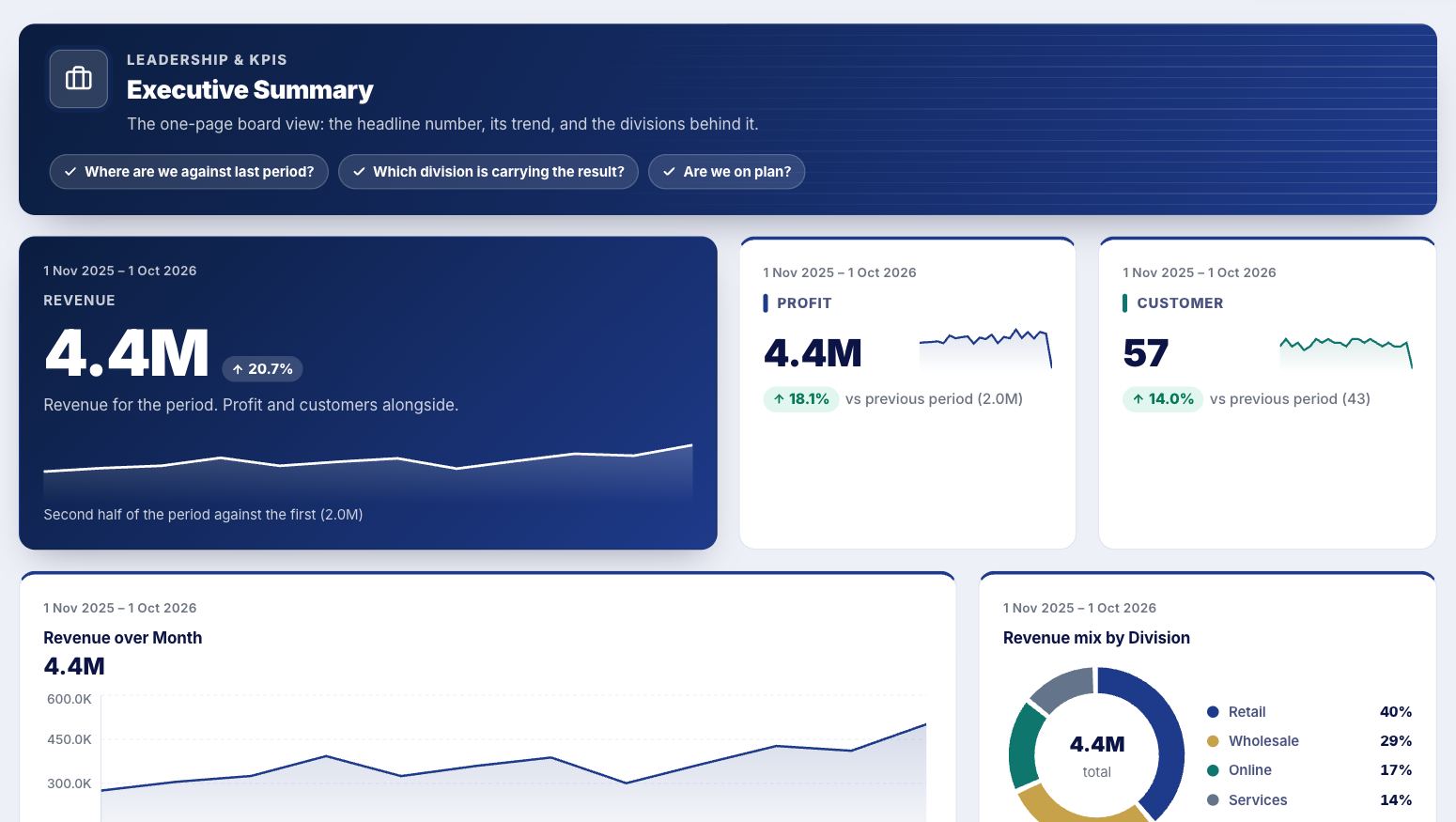
from $19.99/seat · 7-day trialDrop in an Excel or CSV file, get a full analytics surface: KPI dashboards, forecasting (Holt-Winters), cohort retention, RFM segmentation, anomaly detection. The AI runs deterministic pandas operations on your data and returns the call trace alongside every answer — so you can see exactly what was calculated and how. Closest in price to formula-bot tools, closest in capability to enterprise BI.
2.Ajelix
Free tier · from ~$20/user/moBrowser-based assistant that generates Excel formulas, VBA macros and SQL queries from natural language. Add-ins for Excel and Google Sheets. Strongest in the formula-generation niche.
3.Microsoft Copilot for Excel
Personal/Family included · Business $21/user/moNative AI assistant inside Excel. Suggests formulas, generates summaries, adds conditional formatting, surfaces patterns in selected ranges. Comes with Microsoft 365 Personal and Family (60 AI credits a month); companies add Copilot Business ($21 per user a month, yearly) to a Microsoft 365 business plan. Agent Mode can build a sheet from a description.
4.ChatGPT
$20/mo (Plus)Upload a spreadsheet, ChatGPT runs Python in a sandbox to compute answers and produce charts. Powerful, general-purpose. The original "ask your file" tool.
5.Polymer
From $25/moTurns Google Sheets, CSVs, or BigQuery tables into auto-generated business intelligence dashboards. Strong AutoExplorer feature that suggests interesting cuts of the data.
6.Tableau
From $75/user/moThe industry-standard enterprise BI platform. Tableau Pulse and Einstein Discovery layer GenAI insights on top. Beautiful, deep, expensive.
DataHub Pro vs Tableau →
7.Microsoft Power BI
Pro $14/user/moMicrosoft's enterprise BI offering, with Copilot as the AI layer. Deeply integrated with the rest of the Microsoft 365 stack.
DataHub Pro vs Power BI →
8.Domo
Custom pricingCloud-native BI platform with AI-driven storytelling and 1000+ data connectors. Targeted at large organisations with many data sources.
DataHub Pro vs Domo →
9.KNIME
Free (open source) + paid serverOpen-source visual data science platform. Drag-and-drop workflow nodes for data prep, ML, and increasingly GenAI. Genuinely powerful for those willing to learn the paradigm.
Which one should you pick?
You're a SaaS founder, agency owner, or finance lead at a company under 200 staff: DataHub Pro hits the sweet spot — spreadsheet-native, full analysis surface, branded exports, from $19.99/seat. SaaS founders → · Agencies → · Finance teams →
You just want a single formula generated: Ajelix is a great cheap option, and ChatGPT will do it free.
You're already paying for Microsoft 365: turning on Copilot inside Excel is the path of least friction.
You have a data engineer, a budget, and a 50-person reporting org: Tableau, Power BI or Domo are still the right answer. We're not pretending otherwise.
See it on your own data in 2 minutes
DataHub Pro has a 7-day free trial — drop in your sales export and you'll have a dashboard before the kettle boils.
Watch the 90-second demo →References & further reading
- Microsoft — M365 Copilot pricing
- Tableau — official pricing page
- OpenAI — ChatGPT file uploads and data analysis help pages
- Schema.org — SoftwareApplication type
Frequently asked questions
What's the best AI tool for Excel data analysis in 2026?
Which AI tool for Excel doesn't hallucinate?
What's a UK-built AI tool for Excel?
Is Microsoft Copilot for Excel worth it?
What's the cheapest AI tool for Excel?
More for your role: best AI tools for Excel for finance teams · for data analysts · for marketing analytics · AI plugins & add-ins · free AI tools for Excel.